
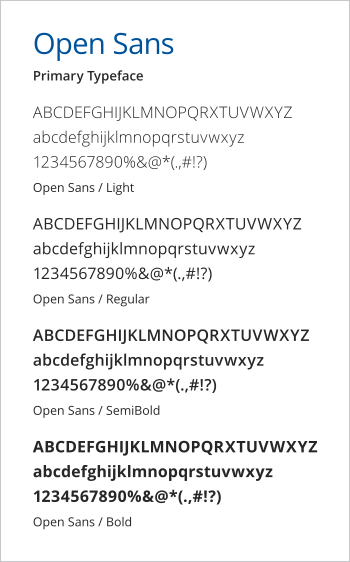
Open Sans is the primary typeface for all Duke University School of Medicine communications. Open Sans may be used in headlines/subheads and body copy.

Roboto Slab may be used as an alternate headline/subhead typeface. It should not be used for body copy.
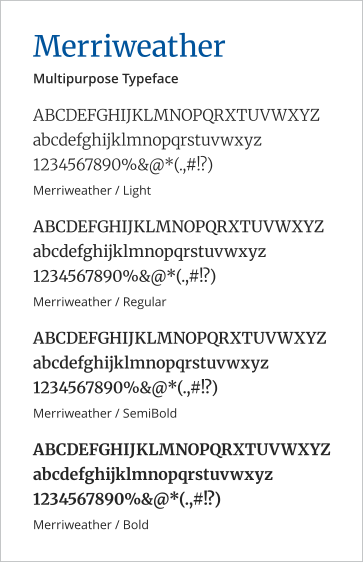
Merriweather may be used as an alternate headline/subhead or body copy typeface.
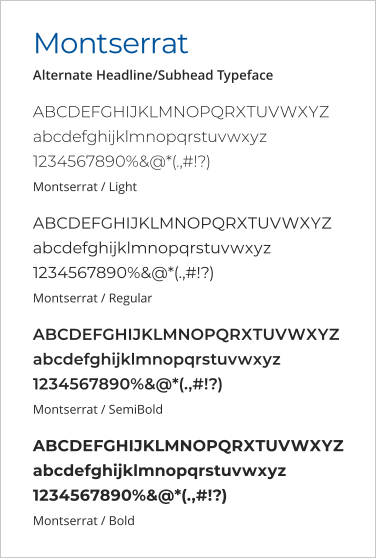
Montserrat may be used as an alternate headline/subhead typeface. It should not be used for body copy.
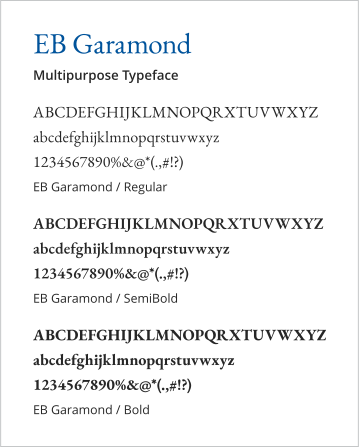
EB Garamond may be used as an alternate headline/subhead or body copy typeface.
Directions for Downloading and Installing Fonts
Download Font:
-
Click Google Fonts link for desired typeface above
-
Click the "Get font" at the top right of the screen. This will add the font to your cart and take you to the download page
-
Click "Download all" button at right of screen to download font file
Install font on PC:
-
Find zipped folder in downloads
-
Unzip folder
-
Find Search in the Start menu
-
Search for Fonts in settings
-
Click on the Fonts Folder to open the Font folder
-
Drag and Drop or Copy and Paste the individual fonts into the Fonts folder to install
Install font on Mac:
Install the font via Mac’s Font Book located under Applications > Font Book
-
Drag and drop the font file into the Font Book app and click Install when prompted or
-
Choose File > Add Fonts to Current User